
A clear place to send the documents
Share a File Drop link or create a request with a title, note and expiry. Your client follows the link and submits the required files through the configured upload flow.
Give clients a branded upload route for tax records, legal documents, financial statements and project files.
All hosted plans: 1 File Drop page on Starter, 10 on Professional and unlimited pages on Business, subject to plan allowances.
Share a File Drop link or create a request with a title, note and expiry. Your client follows the link and submits the required files through the configured upload flow.
An enabled public File Drop can accept submissions without an account; a page can instead require sign-in. Page settings control fields and availability. Upload limits and remaining allowances apply. Do not treat an entered name or email address alone as verified identity.
Submissions create the protected intake record. Recipient notifications depend on the page, quarantine and organisation notification settings. A quarantined submission can require review before it follows the usual route.
A configured Vault route can save an eligible File Drop submission into its configured Vault. Professional and Business can then bring authorised Vault content to a connected desktop client. Routing and desktop access follow your organisation’s configuration.
Create and configure your File Drop page.
Share the link or send a request with its own details and expiry.
The client uploads under that page’s requirements.
Review the intake and use the configured Vault route where enabled.
Follow the existing screenshot-led demonstration using sample content and test recipients.
Follow a document request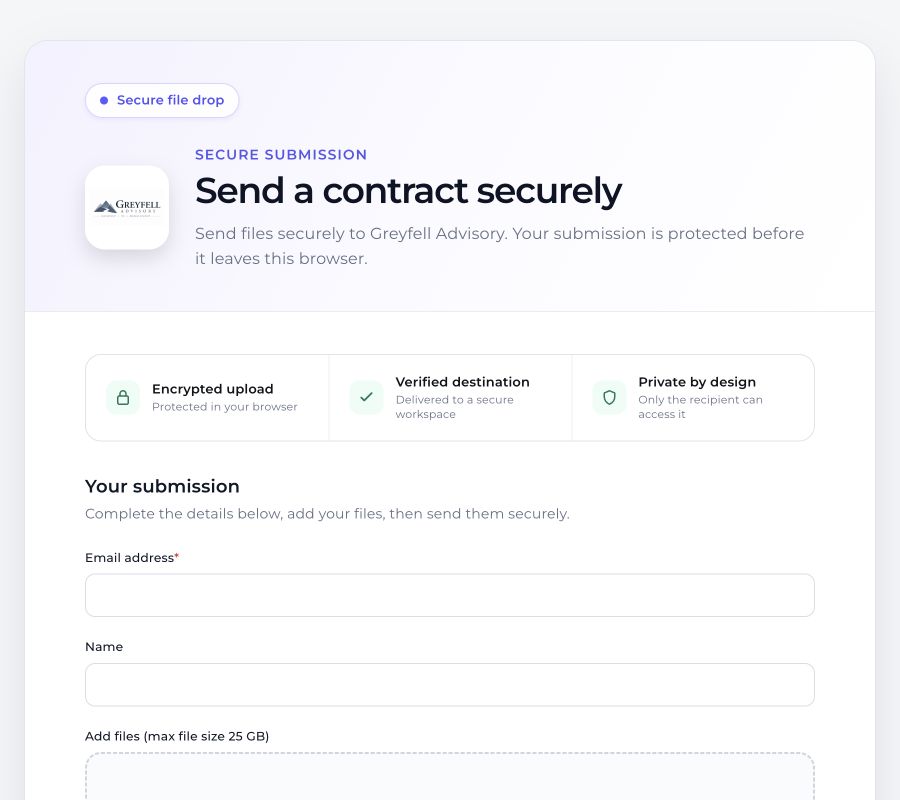 Open the full walkthrough →
Yes for a public File Drop configured to allow that. Pages requiring sign-in need an authenticated uploader.
Share a File Drop page or request link with your clients. Contact us about embedding requirements for your website; browser and deployment settings affect support.
No. Identity assurance depends on the configured authentication, not the presence of a name in a form.
Keep project files together, organise folders and decide what each authorised person can do.
Explore the capability →Send legal bundles, large PDFs, videos, CAD files and business archives through a protected exchange, rather than an ordinary email attachment.
Explore the capability →Manage users, roles, shared workspaces and communication settings around the way your organisation works.
Explore the capability →Explore the real product workflows or register your interest in the hosted platform.