
Move access offline. Restore it with a scan.
Paper Keys are physical access keys that can be printed, stored offline and later activated simply by scanning a QR code. The protected data can remain stored online, while access requires possession of the printed key.
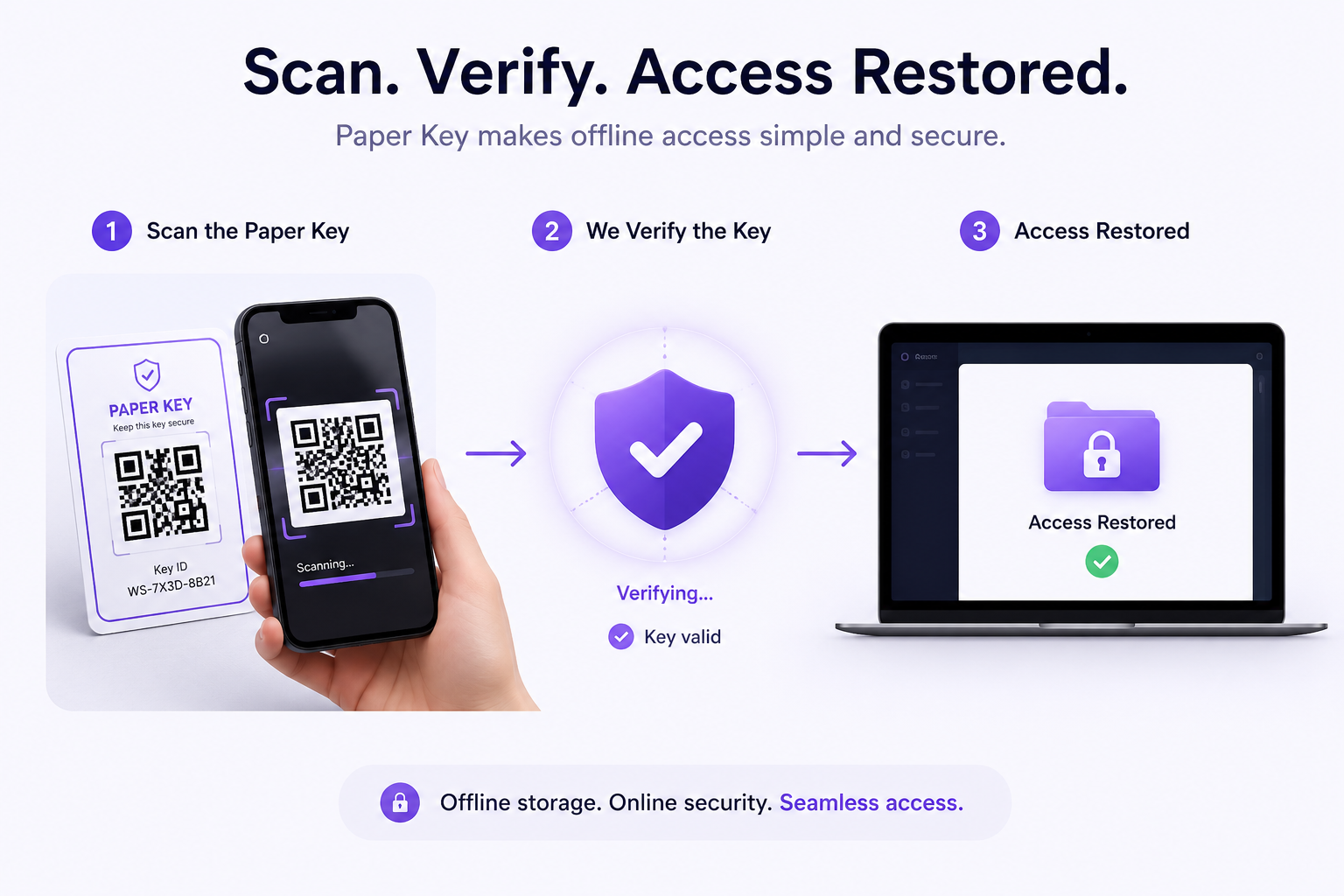
A physical key for selected protected data.
A Paper Key is a printable physical key for selected protected data. It can be used to place access under offline control, so the organisation decides where the key is stored, who can hold it, and when it can be scanned to activate access.
Put sensitive access under physical control.
For some data, online access is too convenient. Sensitive legal, financial, board or archive records may need stronger control than passwords, user accounts or device access alone. Paper Keys let organisations separate protected data from routine online access while keeping access simple: scan the QR code on the printed key when access is required.
Sensitive records
Place access to selected legal, financial, board or archive records into a physical process.
Reduced online availability
Separate protected data from routine online access when convenience is not the right default.
Physical custody
Let the organisation decide where the printed key is held, who can hold it, and when it can be scanned.
Offline access control with a QR-code scan.
Create
Create a Paper Key for a protected file or vault.
Print and store
Print the Paper Key and store it securely offline.
Physical control
Access to the protected item is placed under physical control.
Scan the QR code
When access is needed, simply scan the QR code on the Paper Key.
Restore access
The protected item becomes available again subject to the organisation's security controls.
Security controls for offline access
Unlike traditional recovery codes, Paper Keys are designed for everyday usability. When access is required, an authorised user simply scans the QR code on the Paper Key. We Secure Data securely validates the key and restores access to the protected item.
Paper Keys remain optional. Company admins can enable or disable Paper Key use, and access to create or scan Paper Keys can be role-controlled.
Paper Keys should be stored like sensitive legal, financial or security documents, then scanned only when access is required.
Paper Keys are optional
Admins can control whether Paper Keys are enabled
Creation and QR-code use can be role-controlled
Paper Key use complements authentication, audit logs and access policies

Where physical offline access control can matter.
Legal matter files
Apply physical custody controls to sensitive matter files.
Board documents
Keep documents accessible only under controlled conditions.
Financial records
Move access control for selected records into an offline process.
Healthcare records
Support restricted release for selected protected records.
Long-term archives
Place archive access under an offline custody process.
Business continuity packs
Store printed keys with continuity material under physical control.
Emergency access
Hold access with directors, trustees or legal representatives.